Thank you for checking out Orbs!
In this wiki you should be able to find instructions on how to perform whatever action you might need to while using Orbs. If you are still having issues, please reach out to me via Discord @Zarnuro.
SWTOR Combat Logging
Your first step to configure Orbs is to verify that you have Combat Logging enabled in SWTOR. To do this, open Star Wars: The Old Republic and go to the settings menu. On the left side, you should see a “Combat Logging” category. Select this category and you'll see an option for “Enable combat logging to file”, verify that this option is CHECKED. Then you can continue on to Orbs and setting it up.
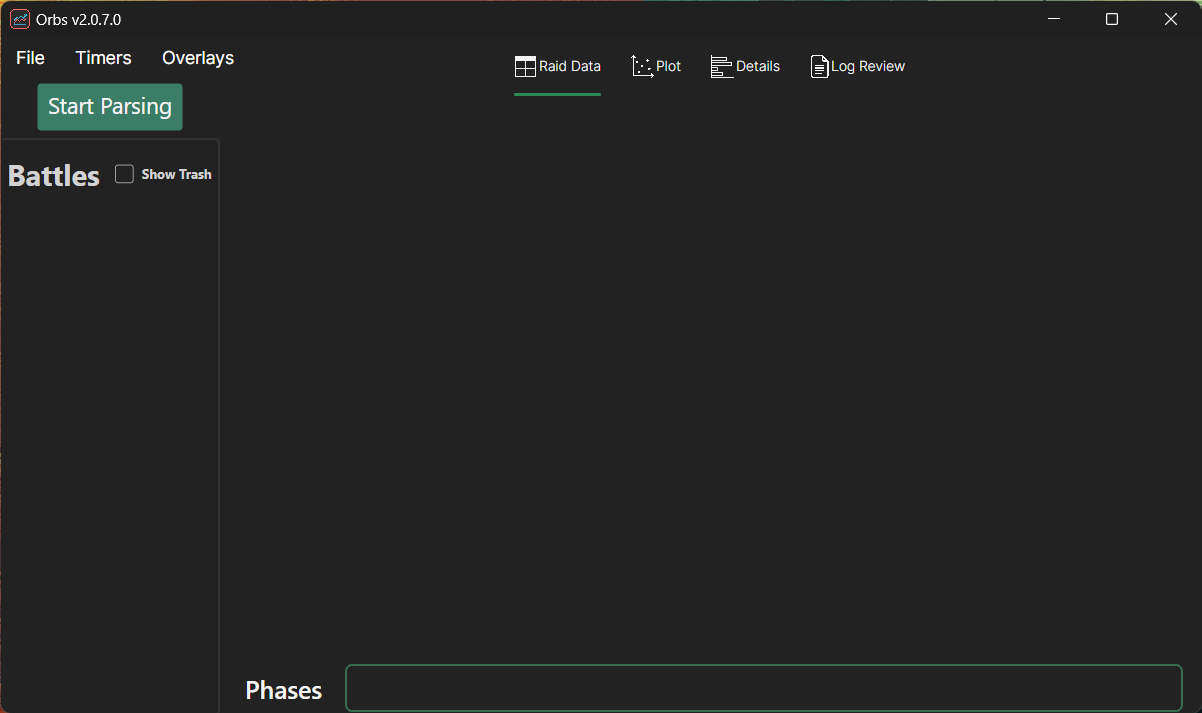
When you first open Orbs, you'll see the following screen. You can perform several actions here but the most commonly used would be:
- Starting live parsing (Orbs will continually monitor your combat log that is generated by SWTOR)
- Review a combat log file that is on your PC from the past
Starting Live Parsing
To start live parsing, simply press the green Start Parsing button in the top left. If you already have data in your combat log, it'll process this and then begin monitoring for new information.
Reviewing Historical Logs
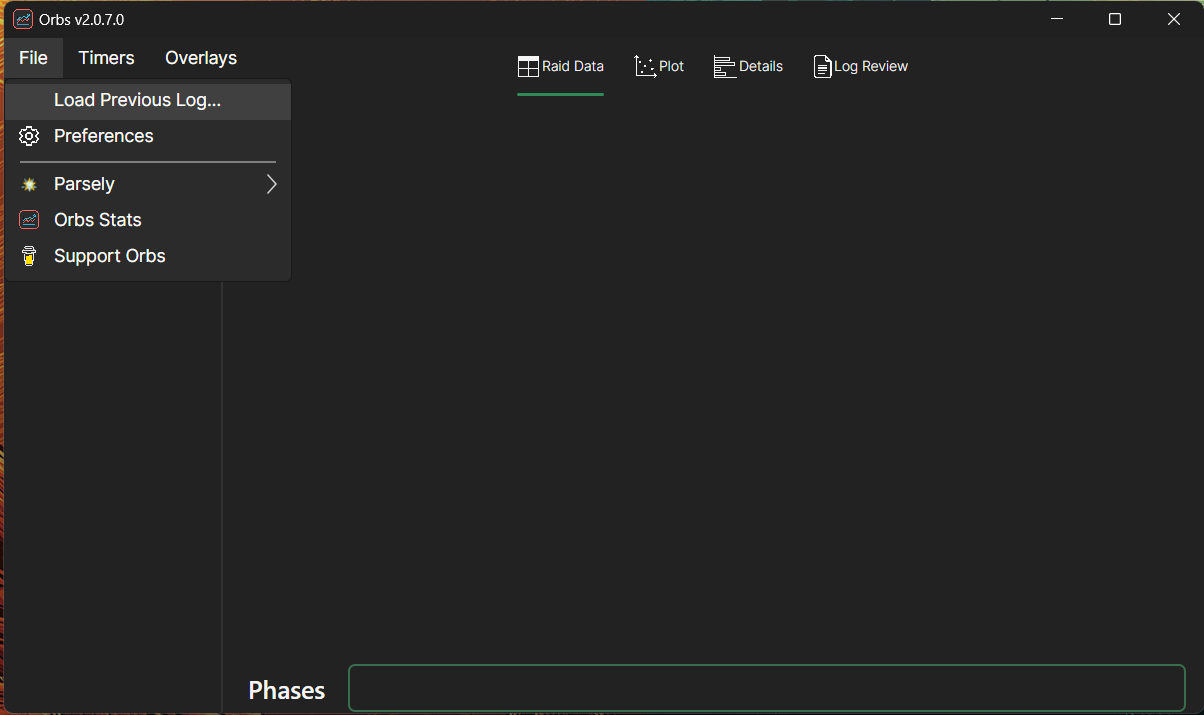
To review historical logs, click on File and then click Load Previous Log… this will open a file dialog window where you can find whatever combat log you want to view.
Navigation
Once combat data is loaded you'll need to know how to navigate the software to see different things. There are two major categories of features in Orbs.
- Reviewing parsed combat data
- Configuration of overlays, timers, etc…
The menu along the left side of the screen shows details on how to use these various features.
Battle List
Along the left side of the screen you'll see a list of battles. Boss battles are visible historically by default, but if you check the “Show Trash” box it'll show you all previous battles.
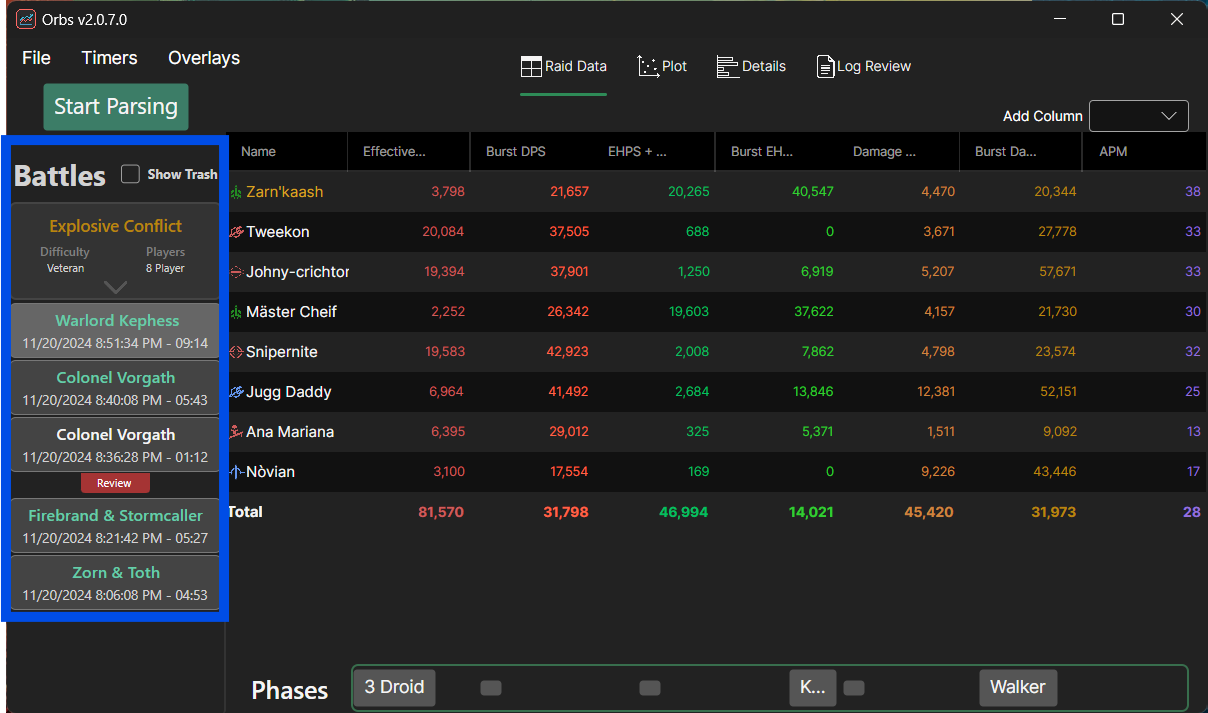
The battles are grouped by the phased instance you were in when you engaged in them. For example, here there were 5 boss battles that took place in Explosive Conflict on the Veteran difficulty with 8 players.
Simply left click on a battle to switch all the tabs, and overlays to display data from that battle.
Right click on a battle if you want to either upload it to Parsely, or if you want to view the Wipe Review page for that battle. You can also click the red “Review” button to see this same page.
Phases
The phase bar along the bottom of the screen lets you select specific portions of the combat log to view events within that phase. These phases can be configured by the user if more flexibility is desired.
To use, simply left click on phase(s) that you want to view, and then left click that phase(s) again to deselect it. You can hover your mouse over a phase to see the start and end time in seconds.
To edit phases, navigate to Timers → Phases and then use the Encounter and Boss drop downs to select the fight you want to configure phases for. Then, use the “Add Phase” button to create a new phase. Or, click the “Edit” button on an existing phase to modify it.
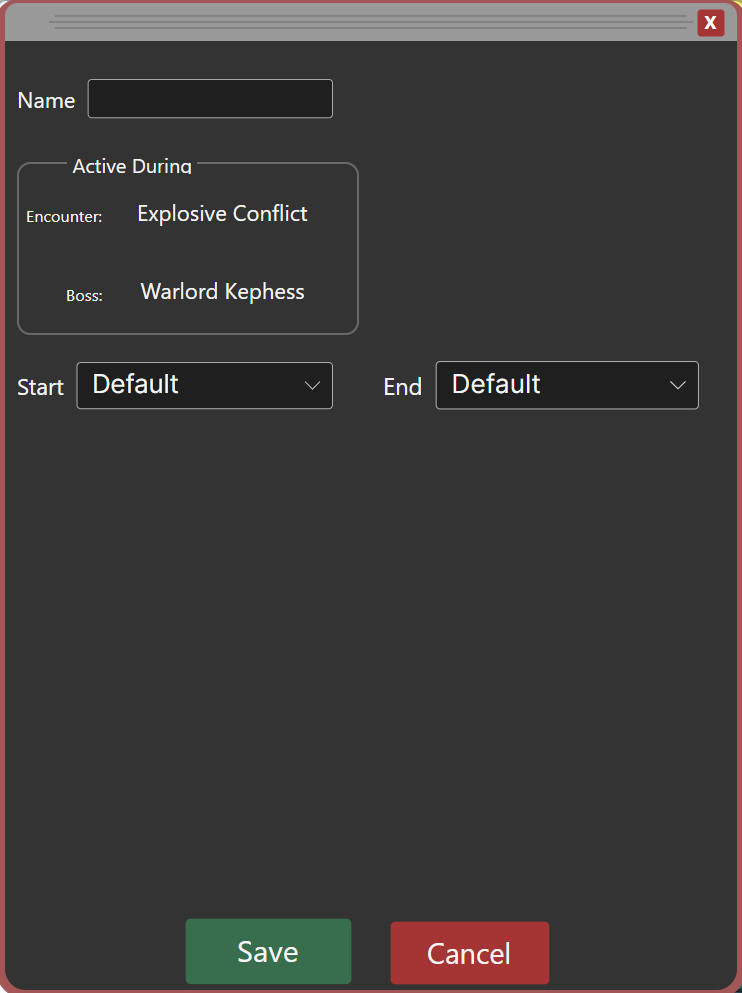
Here on the phase modification screen is where you'll set up and/or modify phases. Phases “start” when their “Start” clause has been met, and they “end” when their “End” clause is met (or if Default is selected, they end when a new phase starts)
To create/edit a phase:
- Give you phase a name
- Use the dropdown to select a phase START type, and provide any required parameters like Entity name, Effect Id, etc…
- Use the dropdown to select a phase End type, or simply leave it Default to keep this phase active until the next one starts.
- Save your phase!
- Remember, order is critical if you are going to have an “End” clause, no other phases will be allowed to start until that phase ends.